
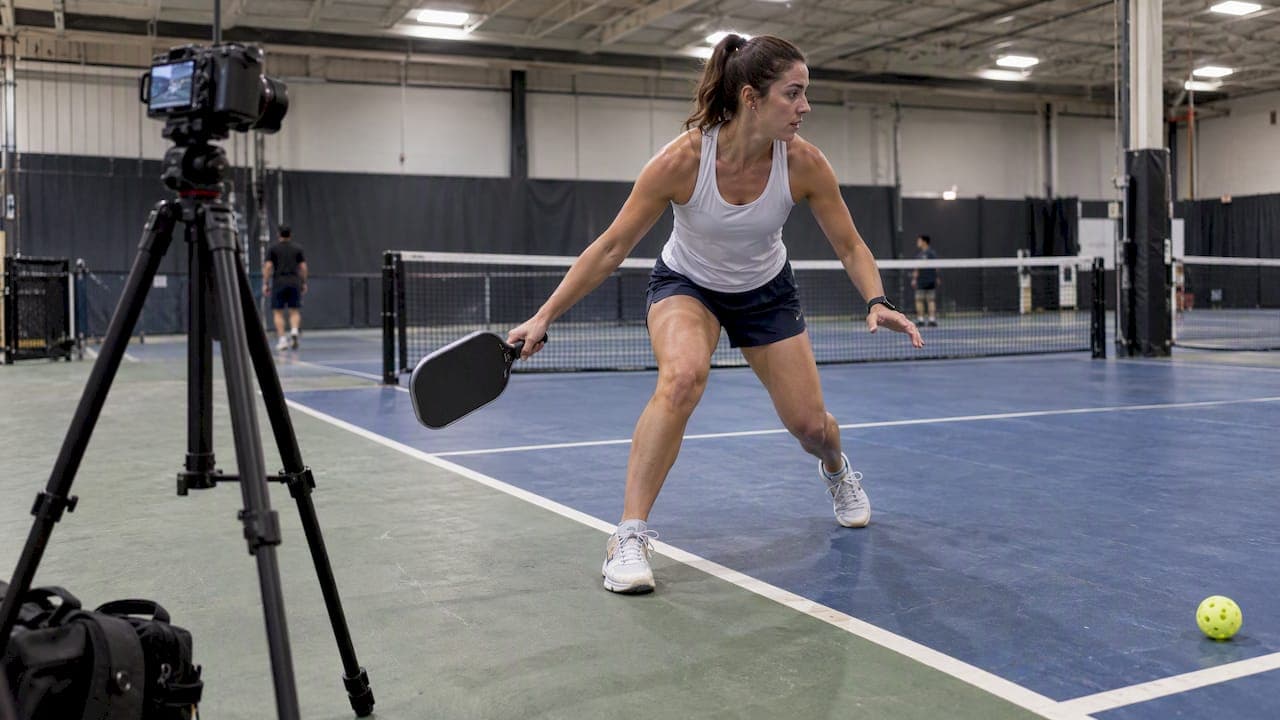
A single fixed-camera video can produce reliable pickleball metrics when you pair a robust detector with court homography and physics-aware tracking. That combination turns raw footage into ball speed, player distance, rally counts, and shot heatmaps. The fastest path there: a fine-tuned detector plus a court keypoint regressor feeding a homography matrix, followed by anchor-based tracking with physics filters.
TL;DR:
- Using specialized detectors for balls and players improves detection accuracy, especially for small, fast-moving pickleballs.
- Accurate homography refinement requires multiple court keypoints and iterative adjustments, which are crucial for trustworthy metric calculations.
- Tracking performance benefits from physics-based filters, gap tolerance, and occlusion handling to maintain reliable trajectories despite common obstacles.
- Camera placement at high, central points and recording at 1080p or 60fps significantly enhances detection reliability and measurement precision.
- Applying this pipeline’s metrics to injury prevention involves analyzing body stress points and movement patterns, not replacing clinical diagnosis.
Table of Contents
- Core technical components: detection, tracking, and homography
- Building a practical pipeline: tools, settings, and a reference recipe
- What metrics are actually feasible, and how they're derived
- Where pipelines break: occlusion, false positives, and camera setup
- How Play On Pickle applies this pipeline to injury prevention
- What players and developers should each do next
- Get started with Play On Pickle's movement analysis
- FAQ
- Sources
- Primary sources, datasets, and benchmark links
Core technical components: detection, tracking, and homography
Most working pipelines split ball detection and player detection into separate models rather than one generalist detector. A pickleball is small, fast, and often motion-blurred, while players are large and comparatively slow, so a single network tuned for both ends up mediocre at each. Running two specialized detectors, one tuned for tiny fast-moving objects and one for human bounding boxes, consistently outperforms a combined approach.
YOLO-family models, particularly YOLOv8, are the common starting point because they are fast enough for frame-by-frame inference and flexible enough to fine-tune on labeled pickleball frames. A model pretrained on a general object set rarely spots a pickleball reliably against a gray court or a cluttered background, so fine-tuning on sport-specific images matters more than model size.
Court understanding is the second pillar. Rather than detecting the court as one object, a working computer vision project trains a ResNet50-based keypoint regressor to locate roughly a dozen canonical points: the baseline corners, kitchen lines, net posts, and center line intersections. Those pixel coordinates feed a homography calculation that maps every pixel in the frame to a real-world court coordinate in feet. Without this step, you have motion in pixels, which is not a usable measurement.
Tracking links detections across frames into continuous trajectories. Practical implementations use:
- Anchor seeding, starting a track from a high-confidence detection rather than the first frame.
- Bidirectional propagation, extending a track forward and backward from that anchor to recover frames where confidence briefly dropped.
- ID management rules, merging or dropping tracks that violate physical constraints like impossible speed jumps.
- Occlusion bridging, holding a track's identity through a few missed frames rather than starting a new one.
Together these four components, split detection, a fine-tuned YOLO model, keypoint-driven homography, and anchor-based tracking, form the backbone that every downstream metric depends on.
Building a practical pipeline: tools, settings, and a reference recipe
The tooling for this stack is mature enough that you can assemble a working prototype without custom research code. A typical reference stack runs Python 3.10 or newer, Ultralytics' YOLOv8 implementation on PyTorch, OpenCV for frame extraction and homography math, and FFmpeg for video decoding and frame-rate normalization.
A reasonable build order looks like this:
- Extract and normalize frames. Decode the source video with FFmpeg, confirm a consistent frame rate, and resize only if your source resolution is below 1080p.
- Run ball detection at a higher inference resolution. Setting
imgsz=1280instead of the YOLO default improves recall on a small, fast-moving ball, at the cost of slower inference per frame. - Detect the four court corners, then snap them to a model-prior template of a standard pickleball court before computing an initial homography.
- Refine the homography iteratively. Back-project bright court-line pixels to the nearest canonical grid line and refit the matrix; a working implementation reports this converging to roughly a 0.2-foot mean residual, which is tight enough for trustworthy speed and distance figures.
- Track the ball with physics-aware filters. Apply a maximum pixel-jump threshold between consecutive frames (one open-source rally detector uses around 300 pixels) to reject impossible teleports, a size filter to reject anything too large or small to be the ball, and a mask over shoe and foot zones to suppress a common false-positive source.
- Tolerate short gaps. Occlusion behind the net or a player is common; a gap tolerance around 0.6 seconds, as used in that same rally-detection project, keeps a track alive through a brief disappearance rather than fragmenting it.
- Cache intermediate outputs. Store detections and homography matrices per video so repeated analytics runs do not re-run inference from scratch.
Pro Tip: Run your detector at imgsz=1280 only on the ball-detection pass. Player detection runs fine at the default resolution and doubling it everywhere just burns compute for no accuracy gain.
This recipe is not exotic. It is a disciplined sequence of off-the-shelf models and geometry, and the quality of your homography refinement step, more than model size, decides whether your final numbers are trustworthy.
What metrics are actually feasible, and how they're derived
Once a trajectory exists in court-foot coordinates rather than pixels, most of the metrics players and coaches actually want become straightforward arithmetic. Ball speed comes from dividing the court-foot distance between two frames by the time between them, then converting feet-per-second into miles per hour. Player distance covered in a rally sums the frame-by-frame foot displacement of each player's tracked position.
From there:
- Shot counts come from detecting a velocity reversal in the ball's trajectory near a player's bounding box, a proxy for contact.
- Rally segmentation uses a ball-presence timeline with the same gap tolerance mentioned earlier, so a brief occlusion doesn't get mistaken for a rally ending.
- Heatmaps are built by accumulating a player's bird's-eye position over a match into a 2D occupancy grid.
- Kitchen intrusion counts check whether a player's projected court position falls inside the non-volley zone boundary, which is a direct homography lookup once the court keypoints are set.
A fixed-camera pipeline combining YOLOv8 detection with a ResNet50 keypoint regressor and iterative homography refinement can output per-frame ball speed in mph, player distance in feet, shot counts, and top-down minimaps, according to a documented implementation of exactly this architecture. That documentation is also a useful reality check on scope. Single-camera setups are reliable for in-plane measurements like distance and position, but anything requiring true depth, like exact vertical ball height at the net, needs a second camera angle or dedicated sensors.
Where pipelines break: occlusion, false positives, and camera setup
A pipeline that works perfectly on a clean demo clip often falls apart on real match footage, and the failure modes are predictable.
Occlusion is the most common. The ball disappears behind the net cord or a player's body for several frames, and a naive tracker either loses the track entirely or jumps to a false detection elsewhere in the frame. Gap-tolerant tracking combined with physics-based validation, rejecting any "recovery" detection that implies an impossible velocity, handles most of these cases without manual correction.

False positives are the second major source of error. Shoes, white lines, and sunlight reflections off the court surface all resemble a pickleball to a detector trained on limited data. A size filter (rejecting anything outside a tight pixel-area range) paired with a foot-zone mask around player bounding boxes removes the majority of these.
Camera placement determines whether any of this works at all:
- Mount the camera high enough to see the full court without a player blocking a baseline.
- Keep all four court corners in frame, since homography accuracy collapses when a corner is cropped out or the angle is too extreme, a point echoed in practical engineering guidance on single-camera analysis setups.
- Shoot at 1080p or higher, since ball detection recall drops sharply on compressed, low-resolution footage.
- Use 60fps when the camera supports it, since doubling frame rate roughly doubles the precision of any speed calculation derived from frame-to-frame displacement.
Pro Tip: If you only have one shot at filming, prioritize keeping all four court corners visible over getting a tighter, more cinematic frame on the players.
Dataset bias is the quieter failure mode. A detector fine-tuned only on footage from one court color, one lighting setup, and one camera height will generalize poorly to a different facility. Training on varied courts and angles, including public datasets like those hosted on Roboflow, reduces that overfitting risk.
How Play On Pickle applies this pipeline to injury prevention
The architecture above is general purpose, but at Play On Pickle we apply it to a specific question: where is a player's body under unusual stress, and what can reduce that risk before it becomes an injury. Our AI-driven movement analysis identifies stress points in the body from uploaded video and generates personalized injury-prevention strategies based on individual biomechanics.
Mapped to the pipeline stages above, the process looks like: a player uploads a short clip, our computer vision layer extracts movement and positional data the same way a performance-tracking pipeline would extract ball speed or court position, and that output feeds a tailored exercise plan rather than a stat sheet. We built this specifically because recreational players, who make up the bulk of the sport's growing membership base, often skip the physical conditioning that prevents overuse injuries.
It's worth being direct about scope. A movement-pattern flag from video is an indicator, not a diagnosis. Our assessments and recommendations are designed to highlight risk patterns and suggest targeted, simple exercises, not to replace a clinician for an existing injury or acute pain. Wrist extension at impact, for instance, has been identified as a common risk factor for wrist and shoulder injuries in racket sports biomechanics research, which is exactly the kind of pattern this type of analysis is built to catch early.

What players and developers should each do next
The next step looks different depending on which side of this you're on.
If you're a player, start with the input quality, not the analysis. Capture a short, full-court clip at the camera settings described above before worrying about which metric matters most:
- Film a full rally with all four court corners visible and the camera mounted above head height.
- Track kitchen intrusions and total session distance over time, since a sudden spike in either often precedes soreness or injury.
- Treat any single clip as a snapshot, not a verdict. Trends across several sessions tell you far more than one video.
If you're a developer building your own pipeline, the priority is validation, not model size. Check your homography residual against a labeled keypoint set before trusting any derived speed or distance number. Unit-test each stage independently: detector recall on held-out frames, ID-switch rate on synthetic occlusion sequences, and final metric error against a short video with known, measured distances. Assemble a test set spanning multiple courts, lighting conditions, and camera angles before claiming your system generalizes.
Whether you build this yourself or use a managed product comes down to time. A DIY pipeline gives you full control over the metrics you extract, but it costs weeks of engineering before the numbers are trustworthy. A turnkey service trades that control for a result on day one.
— Drona
Get started with Play On Pickle's movement analysis
If building and validating a full computer vision pipeline isn't the project you want to take on, consider using Pickleball Court Scheduling Software to coordinate and manage your filming sessions efficiently, then upload a video and get a personalized, biomechanics-based injury-prevention plan without writing a line of tracking code.

A subscription includes ongoing access to movement analysis and tailored exercise recommendations that update as you upload new sessions, alongside promotional incentives to help you capture consistent footage from the start. Where a DIY pipeline gives you raw metrics you still have to interpret, our subscription plans turn that same video into a specific, actionable exercise plan.
| Option | What you get | Effort required |
|---|---|---|
| DIY computer vision pipeline | Raw ball/player metrics, full customization | Weeks of development and validation |
| Play On Pickle Monthly | $9.99 per month for ongoing movement analysis and exercise plans | Upload a video, nothing to build |
| Play On Pickle Annual | $99 per year for the same ongoing access | Upload a video, nothing to build |
- Start with a free trial before committing to a monthly or annual plan.
- Pair your subscription with a structured training plan to track progress over time.
Check current pricing and plan details to see which option fits your season.
FAQ
Is pickleball growing or dying?
Pickleball continues to grow: USA Pickleball reported 104,828 members in 2025, including a core supporting membership base of 62,260. That expanding player base is part of why demand for analytics, training, and injury-prevention tools keeps rising.
Is there a VR pickleball game?
Yes, several VR pickleball applications exist, including Pickleball One on Meta's VR platform. These offer gameplay and training simulations but are separate from computer vision analytics, which works from real match video rather than a simulated environment.
What is the 10 second rule in pickleball?
The serving team must serve within a short time after the score is called, giving both players time to get into position without unnecessary delay. It's a pace-of-play rule rather than a scoring or fault mechanic.
How accurate is computer vision for tracking a pickleball?
Accuracy depends heavily on homography quality and camera setup rather than the detector alone. A well-refined pipeline can reach a mean positional residual around 0.2 feet, according to a documented implementation, which is precise enough for reliable speed and distance metrics from a single fixed camera.
Can computer vision replace a coach or physical therapist?
No. Computer vision can flag movement patterns and risk indicators from video, as we do at Play On Pickle to suggest targeted exercises, but it does not replace a clinical diagnosis or hands-on coaching. It works best as an early-warning layer alongside, not instead of, professional guidance.
Sources
- Pickleball Vision: CV-Driven Match Analytics · Ryan Tolone
- RacketVision (dataset & benchmark)
- Pickleball Rally Detection & Splitter
- USA Pickleball Annual Growth Report: Key Insights
Primary sources, datasets, and benchmark links
- USA Pickleball Annual Growth Report: Key Insights
- Pickleball Vision: CV-Driven Match Analytics · Ryan Tolone
- RacketVision (dataset & benchmark)
- Pickleball Rally Detection & Splitter
- 2025 Research & Creativity Showcase
- Pickleball max Computer Vision Model
- Pickleball experiences on Meta
- Pickleball AI for player training and match analysis