
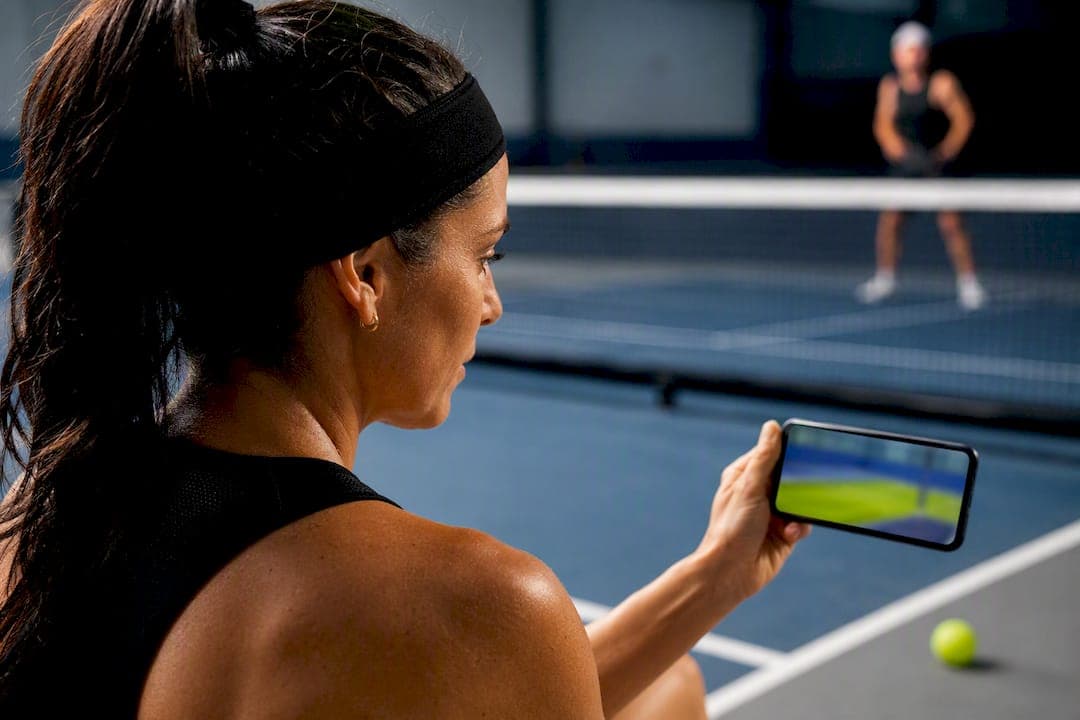
Video analysis speeds up technical correction, sharpens tactical decisions, and surfaces the biomechanical red flags that lead to injury, all faster than feel-based practice alone. Recreational players, competitive club players, and coaches each get something specific from it: cleaner strokes, smarter shot selection, and early warning on the movement patterns that wreck shoulders, elbows, and knees. The rest of this guide covers the concrete benefits, how to film sessions that are actually usable, how to turn footage into a practice plan, what video reveals about injury risk, and which tools fit which type of player.
TL;DR:
- Video analysis reveals common technical flaws such as paddle position, backswing size, and weight transfer that players often misunderstand or overlook during play.
- Proper filming setup, including stable equipment, correct angles, and clear court framing, is essential for extracting useful insights from gameplay footage.
- Reviewing clips with specific focus on one pattern or error accelerates skill correction and improves retention more effectively than broad or unstructured review sessions.
- Automated movement analysis tools can identify repetitive stress patterns and high-load movements that precede injuries, helping players prevent long-term damage.
- Beginners show surprise at faults they never noticed, while experienced players use footage to confirm suspicions and measure actual performance impacts within a few focused sessions.
Table of Contents
- Video Analysis Benefits Pickleball Players Actually Notice
- How to Film Pickleball Sessions for Useful Analysis
- Turning Footage Into a Practice Plan That Actually Works
- What Video Reveals About Injury Risk and Biomechanics
- Matching the Tool to the Player: Manual Review, Apps, and AI Platforms
- The Research Behind Why Video Feedback Works
- Three Things to Do This Week
- A Straight Answer on What to Expect
- Where Play On Pickle Fits Into Your Recording Habit
- Sources
Video Analysis Benefits Pickleball Players Actually Notice
Most players think they know what their swing looks like. They don't. The gap between felt movement and filmed movement is one of the most consistent findings in practical pickleball guides, and it shows up constantly: players are convinced their paddle is up and ready between shots, then the footage shows it drifting below the waist on nearly every neutral exchange. That single blind spot changes everything about how fast you can react at the net.
Here's what a camera catches that your body won't tell you:
- Paddle angle and contact point on dinks. A dink that pops up instead of dying at the net usually traces back to an open paddle face or a contact point too far in front of the body. Slow-motion replay shows this in seconds; feel alone rarely does.
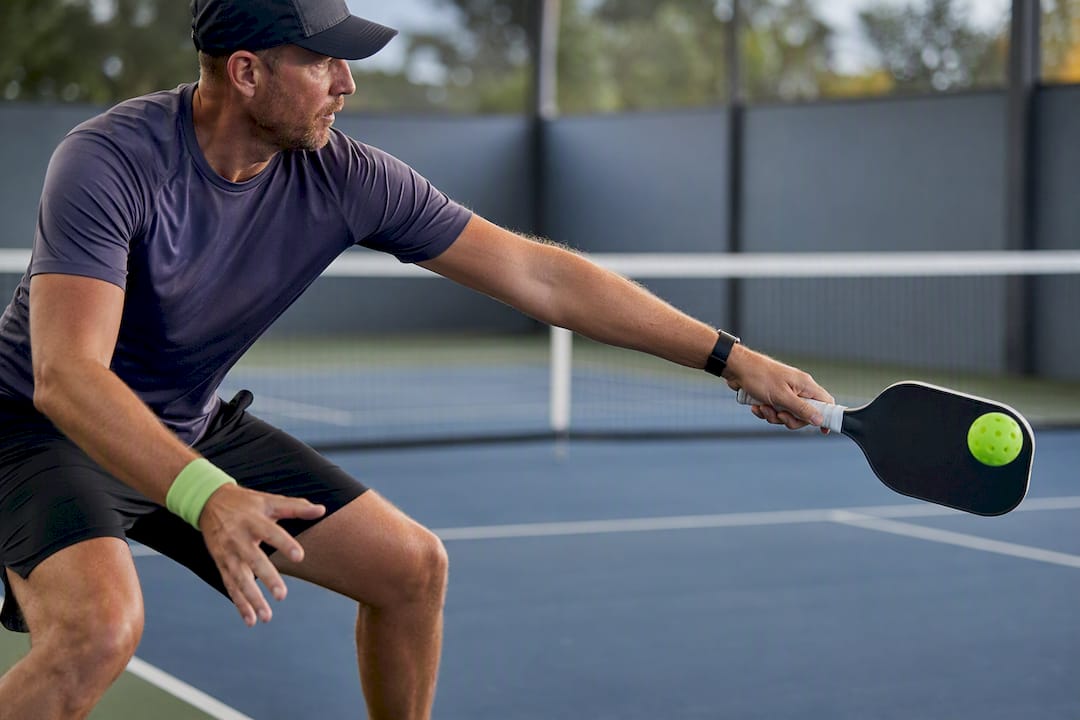
- Backswing size on the third-shot drop. Overswinging a third-shot drop is the single most common way recreational players turn a soft, arcing shot into a hard, attackable one. Side-angle footage exposes the extra backswing instantly.
- Split-step timing before transition. Players who get caught mid-court, unable to move either forward or back, are almost always late on their split-step. You can see this from a baseline angle before you can feel it.
- Weight transfer into contact. Weak, floaty shots often come from a player hitting off the back foot instead of stepping into the ball. Video makes this obvious even to players who swear they're moving forward.
Beyond stroke mechanics, footage reveals tactical patterns that are almost impossible to track live. Coaches and pickleball podcasters have noted that reviewing match film consistently surfaces positioning errors, partner coordination breakdowns, and split-step timing issues that players miss entirely while they're focused on the next point. You'll spot which opponent always drives the ball crosscourt on the third shot, which one hesitates before an overhead, and where your own partner tends to leave the middle open after a poach.
Tracking a handful of simple metrics turns vague impressions into a real record of progress:
- Successful third-shot drops landing in the kitchen (out of total attempts)
- Net-point win rate after both players reach the transition zone
- Unforced errors by shot type (dink, drive, overhead)
- Rally length before an unforced error
None of this requires a spreadsheet. A basic tally sheet after reviewing ten points will show a trend within two or three sessions.
There's also a learning-psychology angle that matters more than most players realize. Visual feedback measurably speeds up motor-skill retention and correction compared to verbal coaching alone, according to motor-learning research on skill acquisition. When a coach tells you "your paddle drops," you nod and forget it by the next rally. When you watch it happen on a screen, the correction sticks. Coaching resources describe this plainly: film doesn't argue, and it doesn't let a player talk themselves out of a fix they can see with their own eyes, a communication benefit that shows up across applied sport-analysis literature at every level from grassroots leagues to professional tours.
Last, and easy to underrate: video surfaces the asymmetries and high-load movements that precede pain. A player who reaches wide for backhands with a locked elbow, week after week, won't feel anything wrong until the tendon finally complains. Footage catches that pattern months before the body does.
How to Film Pickleball Sessions for Useful Analysis
Bad footage is worse than no footage. Shaky, distant, poorly angled video wastes the time you spent recording it, so getting the setup right matters more than any app you eventually use to review it.
Pro Tip: Film a 30-second test clip and watch it back before committing to a full session. If you can't see your own feet clearly, move the camera closer or lower before you record anything else.
- Start with gear you already own. A smartphone or tablet on a stable tripod is genuinely enough to get started, a point practical guides make consistently. A small gimbal helps if you're filming handheld between points, and a clip-on mic is worth adding only if you plan to record verbal coaching cues alongside the footage.
- Shoot landscape, not portrait. Vertical video crops out the width of the court and makes footwork analysis nearly useless.
- Record at 60 frames per second when your device allows it. Paddle contact happens in a fraction of a second, and 60fps gives you enough frames to step through that moment cleanly, a setting pickleball-specific filming guides recommend for exactly this reason.
- Lock exposure before you start. Auto-exposure hunting mid-rally, especially outdoors with moving cloud cover, will wash out or darken key moments right when you need clarity.
- Avoid shooting into the sun. Backlighting turns players into silhouettes. Position the camera so the sun is behind or to the side of the lens, not behind the players.
- Choose your angle based on what you're diagnosing. A baseline angle behind the player shows court coverage and positioning best. A side-court angle, roughly level with the net, reveals swing path and paddle angle on dinks and drives. An elevated baseline shot, from a second-story balcony or a raised tripod, captures both positioning and stroke mechanics at once when you have access to the height.
- Frame the whole court, not just your side. Clipping the far baseline or a doubles partner out of frame kills half the tactical value of the footage.
- Plan the session before you hit record. Decide in advance whether you're filming a specific drill, a full game for opponent scouting, or a mix, so you're not sorting through forty minutes of random rallies afterward.
- Check battery and storage first. A dead phone at 2 to 1 in the third game is a lost session, not a minor inconvenience.
Turning Footage Into a Practice Plan That Actually Works
Watching film without a plan is entertainment, not analysis. The value comes from a repeatable process that takes raw footage and turns it into one or two specific things to fix.
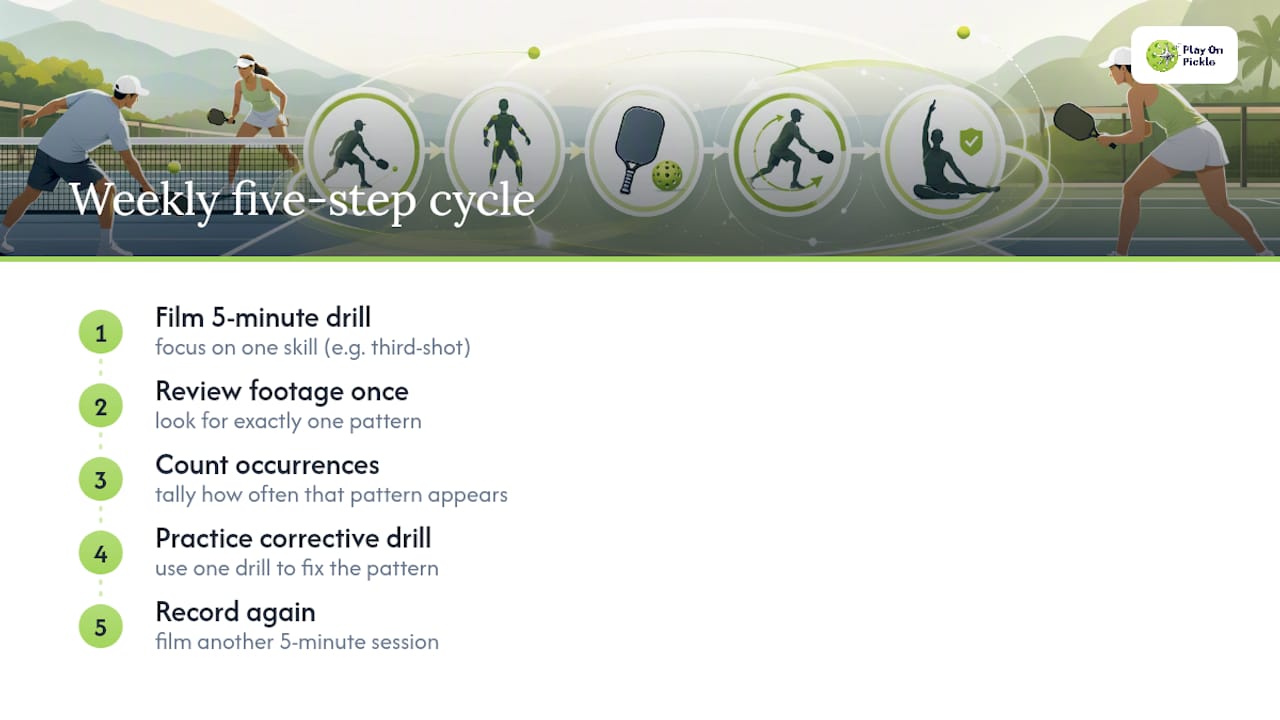
Run the review in three passes rather than one long scroll through the whole match. First, a quick full-match scan to spot obvious patterns. Second, a focused rewatch on a single theme, footwork, paddle position, or shot selection, never all three at once. Third, pull out and time-stamp the two or three clips that best show the pattern you found.
- Tag clips with short, consistent labels: "paddle drop," "late split-step," "third-shot short." Counting how often a tag appears across a session gives you a baseline number to beat next time.
- Save slow motion and frame-by-frame stepping for contact point and foot-plant timing specifically. Full-speed replay is better for judging shot selection and decision patterns, since slowing everything down distorts how the point actually felt in real time.
- If you're working with a coach, bring two or three clips, not twenty. Ask guided questions ("What's my paddle doing right before contact here?") rather than waiting to be told, and leave the session with one drill and one measurable target for the next recording.
- Focused, single-theme reviews produce faster measurable gains than broad, unstructured film sessions, a pattern coaching podcasters have observed repeatedly when comparing players who chase one fix at a time against those trying to overhaul everything at once.
Pro Tip: Set a fixed cadence: record, review within 48 to 72 hours while the points are still fresh in memory, practice the one drill that came out of it, then re-record the same drill in five to ten days to see whether the number actually moved. Applied sport-analysis guidance backs this rapid-review window specifically because delayed review loses the context that makes clips useful.
For players who want this cadence built into a longer plan rather than reinvented every week, a structured approach like a 90-day training plan gives the record-review-practice loop a fixed schedule instead of leaving it to whenever you remember.
What Video Reveals About Injury Risk and Biomechanics
Pickleball injuries cluster around a small set of repetitive stress patterns, and most of them are visible on camera long before they're painful in real life. A paddle that consistently drops below waist height during the ready position forces the shoulder to do extra work reaching up on the next ball. Poor forward weight transfer on drives loads the lower back and knees instead of the legs. An asymmetrical reach on one side, common in players who favor a stronger forehand, overloads the wrist or elbow on that side session after session.
The problem for most recreational players isn't a lack of awareness that these patterns matter. It's that nobody is watching for them, and manual review of every session for subtle asymmetry is more than most players will ever actually do. This is where automated movement analysis earns its place. Computer vision systems can flag repetitive stress patterns and quantify asymmetry across multiple sessions in a way that's genuinely hard to do by eye, especially for a player without a coach standing courtside every week.
- Paddle position below the waist for extended stretches between shots often signals delayed shoulder recovery, worth flagging for a mobility check.
- Weight staying on the back foot through contact on drives puts extra strain on the lower back and knees over repeated sessions.
- A consistently one-sided reach pattern, especially on wide balls, tends to overload the wrist or elbow on the dominant side.
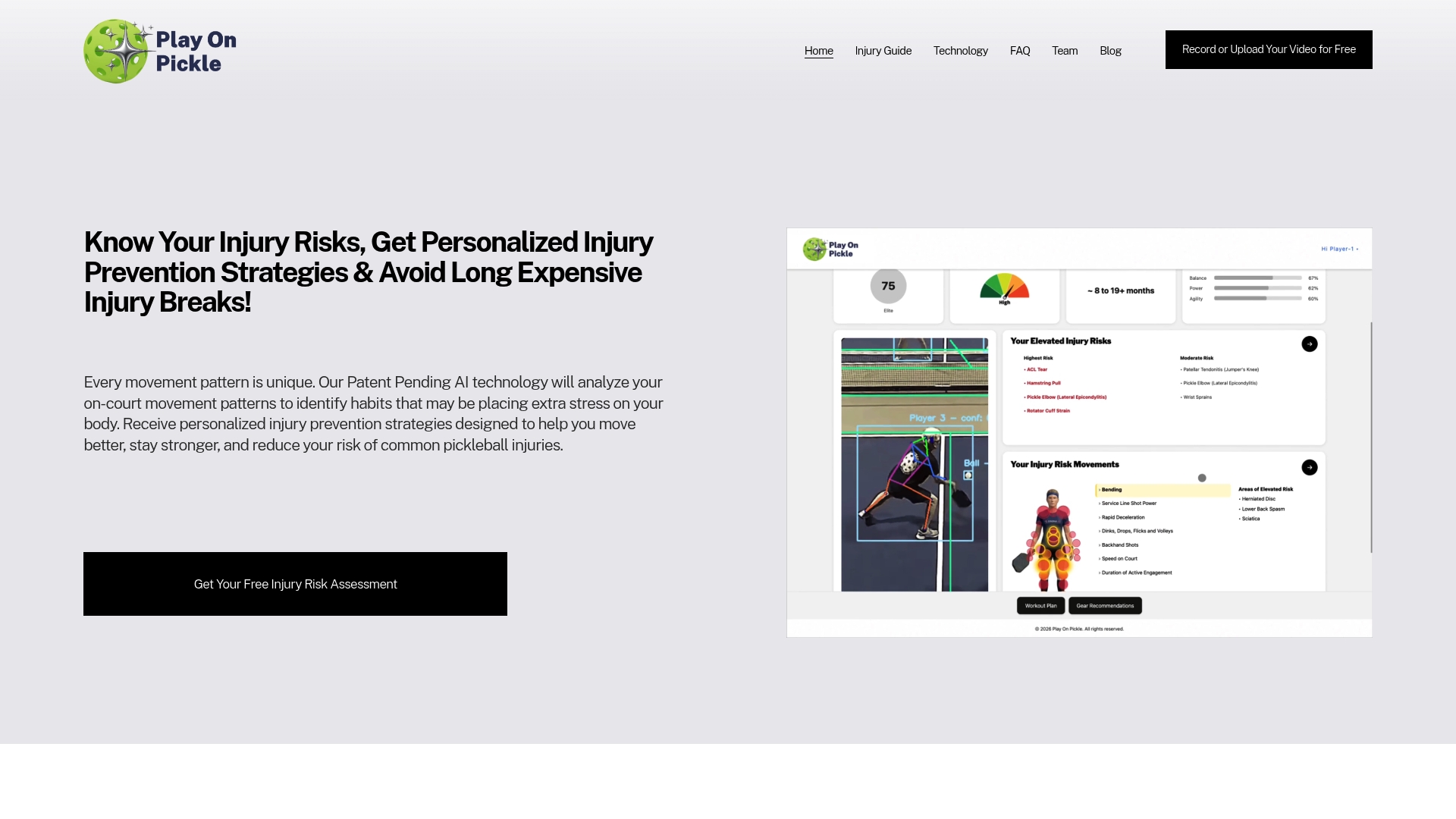
Play On Pickle was built specifically around this gap. It uses patented computer vision technology to identify stress points in a player's movement and generate personalized injury-prevention strategies tied to individual biomechanics, an approach detailed further in Play On Pickle's video analysis guide. Recreational players who skip formal strength training are the ones most likely to benefit, since the corrective exercises are designed to be simple enough to fit into an existing routine rather than demanding a separate gym habit. For a deeper look at how AI-assisted training catches these patterns early, see how AI pickleball training flags injury risk. Players already dealing with wrist discomfort from asymmetrical loading may also find the specific breakdown in pickleball wrist pain causes and fixes useful for connecting a video-identified fault to a return-to-play plan, and general load-management guidance is covered in pickleball injury prevention for recreational and older players.
Matching the Tool to the Player: Manual Review, Apps, and AI Platforms
Not every player needs the same setup, and paying for more analysis than you'll use is as wasteful as filming nothing at all.
- Manual review with a coach works best for a player chasing one or two specific technical fixes and wants the lowest-cost option. A phone, a tripod, and a coach's eye cover most recreational needs.
- Semi-automated apps add slow-motion scrubbing, side-by-side comparison against a model swing, and basic tagging. They save real time once you're reviewing footage weekly rather than occasionally.
- AI-assisted platforms go further, automatically tagging shot types, detecting movement patterns across sessions, and flagging injury risk without requiring the player to manually spot every asymmetry. Vendor and coach resources point to time savings, improved objectivity, and pattern detection at scale as the core advantages these platforms offer over manual review alone, and the subscription cost tends to justify itself once you're tracking injury risk alongside technique.
- Casual players generally do fine with manual review and an occasional coach session. Club competitors benefit from a semi-automated app for weekly tracking. Tournament players and anyone managing an old injury get the most value from an AI-assisted platform that tracks biomechanics session over session.
The Research Behind Why Video Feedback Works
The case for filming your own play isn't just intuition. Motor-learning research shows visual feedback speeds retention and correction of technical skills more reliably than verbal cues alone, largely because it closes the gap between what a player thinks they're doing and what their body is actually doing. Applied sport-analysis literature backs this up from the coaching side: objective footage-based measures help coaches make faster, better-informed decisions and give players a concrete way to track progress over weeks rather than guessing.
Two caveats matter here. First, review one theme per session, not everything at once. Second, pair every clip you watch with deliberate practice afterward. Watching film without following it up with targeted reps captures the insight but wastes the correction, and changing three technical variables in the same week almost guarantees you won't know which one actually fixed the problem.
Three Things to Do This Week
Film one five-minute drill this week, focused on a single skill like third-shot drops. Review it once, looking for exactly one pattern, paddle angle, footwork, or weight transfer, and count how often it shows up. Then pick one corrective drill and practice it before recording again. If you're managing an old injury or simply don't have time to scan footage for asymmetry every week, an AI-assisted platform is worth considering at that point, not before.
A Straight Answer on What to Expect
Beginners tend to react to their first video session with genuine surprise, usually about a fault they had no idea was there. Experienced players react differently: they already suspect the problem and use the footage to confirm it and measure how much it's actually costing them in lost points. The pattern that shows up most often, across both groups, is faster correction within two or three focused sessions rather than one dramatic breakthrough.
Video won't fix a stroke by itself, and it won't replace reps on the court. What it does is remove the guesswork about what actually needs fixing, which is a different and more useful thing. Expect quick clarity on what's wrong, then the same grind everyone faces to actually change it.
— Drona
Where Play On Pickle Fits Into Your Recording Habit
Some platforms address a common gap for recreational players who record footage but don't systematically check it for the injury risks buried inside their own mechanics. Such services use computer vision technology to identify stress points in movement and turn them into personalized injury-prevention strategies matched to individual biomechanics, rather than relying on a generic checklist. That fits directly into the record, review, and practice cycle covered above, except the asymmetry-spotting step happens automatically instead of requiring you to eyeball every session for subtle patterns.
It's aimed squarely at recreational players who love the game but tend to skip the physical prep that keeps them on the court long-term. If filming your sessions has already shown you a pattern that worries you, or you simply want a second, sharper set of eyes on your mechanics, start a trial at Play On Pickle and see what your own footage has been trying to tell you.
Sources
For deeper technical filming guidance, Pickleball Wiki's video analysis guide covers camera angles in more detail. Players curious about how footage-based analytics feed into competitive tracking can look at MatchSuite's guide to tournament software. For the injury-prevention side specifically, Play On Pickle's AI training breakdown goes further into how automated detection works session over session.
- PMC — motor-learning research (visual feedback)
- Pickleball Wiki — Pickleball video analysis
- Trace — benefits & how to use video analysis
- Nacsport — benefits of video analysis in sport