
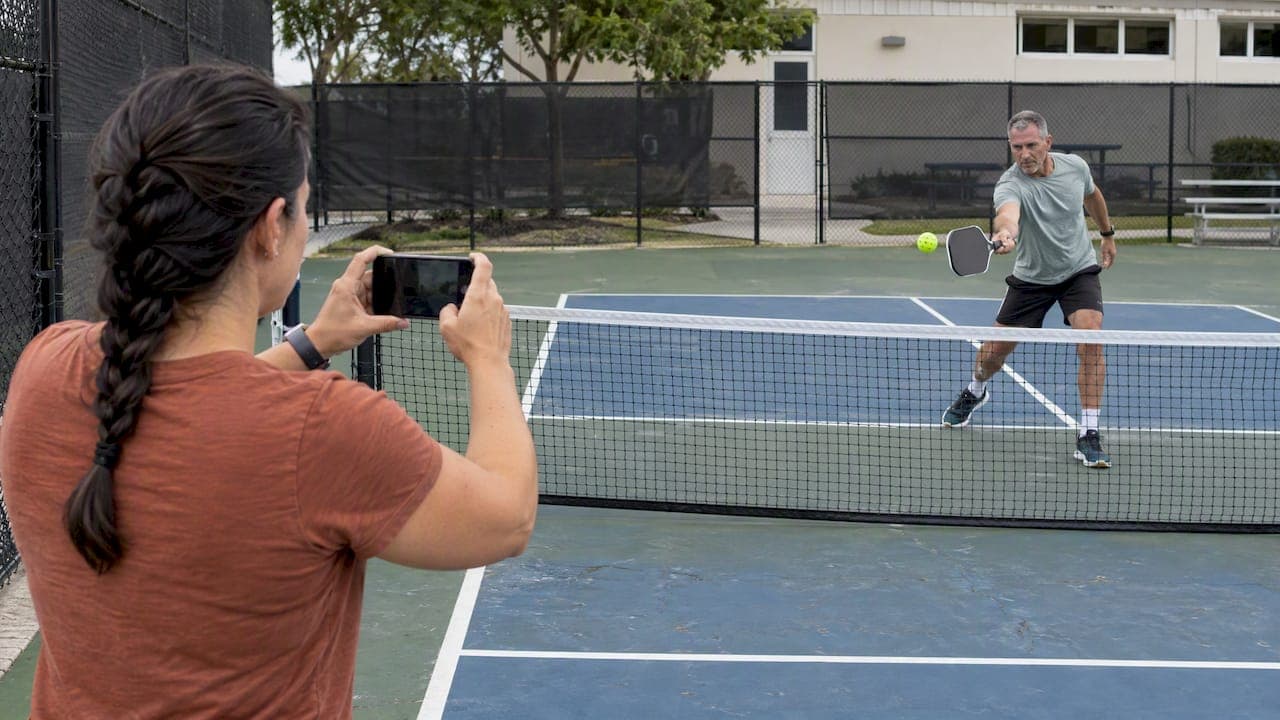
Slow motion pickleball works best when you record at a high frame rate, film your full stroke from a stable spot, and review one technical question at a time. Done that way, a two-minute clip can show you a late paddle, a flat-footed split step or a collapsing knee that you never feel mid-rally. Done badly (30 fps footage dragged to half speed), it just looks choppy and tells you little.
This guide covers what slow motion reveals, how to film it with the phone you already own, what to check in a dink, drop or serve, and where the method stops being useful, especially when the question is injury risk.
TL;DR
- Record in slow motion at capture (120 or 240 fps if your phone offers it) instead of slowing normal video afterward.
- Use a tripod or a friend, landscape mode, and film the whole stroke. A second angle from the side or back adds a lot.
- Review one thing per session: paddle height, contact point, footwork or recovery. Watch the rally at normal speed first.
- Slow motion shows what happened, not why. A single frame can look awkward without causing a problem, and it cannot measure injury risk by eye.
- Pair what you see with simple strength, balance and warm-up work, which is what protects knees, ankles and shoulders.
Table of Contents
- What slow motion shows that real speed hides
- Slow motion at capture vs. slowing a clip afterward
- How to set up your phone on the court
- What to look for in a dink, drop and serve
- A simple review routine that actually improves your game
- The limits of slow motion
- Perspective: what we see in slow-motion footage
- From what you see to what you do about it
- Turn your clips into a plan
- FAQ
- Sources
What slow motion shows that real speed hides
At full speed, a pickleball exchange is a blur of decisions. Slow it down and the pieces separate. A recent slow-motion series on elite pickleball rallies points to how early top players read the ball, how precisely they make contact, how fast their hands move and how efficiently they recover.
You are not a touring pro, but the same lens works at any level. Video also closes the gap between how a movement feels and what it looks like. Many players are surprised to find their paddle is not in the ready position as often as they thought, or that their footwork is less smooth than it felt.
USA Pickleball's positioning guidance gives you a ready-made checklist to hold against your footage:
- Paddle up and ready
- Athletic stance with bent knees
- Short backswings
- Contact in front of the body
- A split step timed to your opponent's contact
- Moving with your partner and the ball, with sensible spacing
Each of those is easy to confirm or rule out when you can pause and step through a clip.
Slow motion at capture vs. slowing a clip afterward
This is the single most common mistake, and it is why many players try slow motion once and give up.
True slow motion is recorded at a higher frame rate and played back at a normal one. WIRED explains that 60 fps footage played at a standard rate gives half-speed motion, whereas stretching 30 fps footage afterward tends to look choppy because there are too few frames to fill the time. A cinema-camera maker makes the same point: slowing playback alone lowers temporal resolution, and software interpolation can smooth the stutter but cannot reveal detail that was never captured.
What that means on court:
| Method | Frame rate | Result | Best for |
|---|---|---|---|
| Normal video, slowed in an app | 30 fps | Choppy, little new detail | Quick look at overall positioning |
| Normal video at higher rate | 60 fps | Smooth half-speed, good for foot plant and swing path | Most self-review sessions |
| Slo-mo mode | 120 fps | Smooth quarter-speed | Contact point, paddle face, drop and dink detail |
| Slo-mo mode | 240 fps | Very slow, large files | Short clips of a single serve or volley |
A 60 fps capture is enough to study paddle contact, foot plant timing and swing path. Go higher when you want to study one fast moment, such as contact on a serve.
On recent iPhones, slo-mo can be set to 1080p at 120 or 240 fps in Camera settings under Record Slo-mo. That guide estimates roughly 170 MB per minute at 120 fps and 480 MB per minute at 240 fps, so record short clips, not whole games. Android phones have their own slow-motion modes, and the menu names vary by maker.
How to set up your phone on the court
A great frame rate cannot fix a bad angle. A short checklist:
- Stabilize the phone. Use a tripod or have a friend film. A handheld phone drifts, and drift makes joint angles impossible to judge.
- Shoot in landscape. It gives you room for the full stroke and the court around it.
- Capture the whole motion. Start the clip before the backswing and keep rolling through the follow-through and recovery step.
- Use two angles if you can. One from behind, one from the side, ideally 30 to 45 degrees apart if you plan to use markerless analysis.
- Mind the light. High frame rates need more light, so slo-mo indoors or at dusk can turn grainy. Midday outdoor courts are ideal.
- Keep clips short. Ten to thirty seconds around a single shot is easier to review than a full point.
For a deeper setup walkthrough, see our guide to recording pickleball matches in 1080p at 60 fps. If you play on a crowded court, ask your partner to hold the phone for a few drills instead of filming live games. You will get cleaner, more repeatable clips.
What to look for in a dink, drop and serve
Slow-motion frame-by-frame review can help you spot technical errors in serves, dinks, volleys and footwork. Here is what a reasonable review looks like for each shot.
The dink
The soft game is all about repeatability. An instructional feature using slow motion and on-screen prompts to teach the dink shows how playback makes small, repeatable mechanics easier to study. In your own clip, check:
- Is your paddle ready before the ball crosses the net?
- Does the contact happen in front of your body, or does it drift beside your hip?
- Do your knees stay bent through contact, or does your torso do the lowering?
- Does your head stay quiet?
The third-shot drop
An analysis of a touring pro's third-shot drop highlights a compact backswing, low contact point, slightly open paddle face, controlled follow-through, stable body position and a relaxed arm. Those make good comparison points for your own clip. You are not trying to copy a pro's body. You are looking for the same qualities: a short swing, a low base and no tension in the arm.
The serve
Watch for a smooth weight transfer, contact in front, and a finish that does not pull you off balance. On a drop serve, the slow clip lets you see whether the ball bounce and your swing timing match. Slow motion is also useful for seeing whether you rotate from the trunk or just throw the arm at the ball.
The ready position and split step
Step through the frames just before your opponent hits. Did you land your split step as they made contact, or a beat after? Our piece on ready position and split step timing goes deeper, and the key idea is that timing matters more than hop height.
A simple review routine that actually improves your game
Most players film, watch ten seconds, and move on. A better routine:
- Watch the rally at normal speed first. Understand the situation before you use slow motion for a specific question.
- Pick one element per session. Footwork, paddle height or recovery, not all three. Isolating one technical element beats scanning an entire match.
- Scrub frame by frame around contact. Note the stance, the paddle face and where the ball meets the paddle.
- Write one correction. For example: "Keep paddle up between shots."
- Drill it, then re-film. Compare clips from the same angle a week later.
If you want a structured version of this, our post on video analysis in two to three sessions lays out how to move from filming to fixing dinks.
The limits of slow motion
Slow motion is a magnifying glass, not a diagnosis.
- Frame rate limits what you can see. Interpolated slow motion does not add real detail. If the camera did not capture it, the software cannot invent it.
- One frame can mislead. A single frame may look imperfect without actually causing the problem. Judge the sequence, not the screenshot.
- Over-analysis is real. Pausing every shot of a match makes you stiff and slow. Review off the court, play freely on it.
- Your eye cannot measure joint angles. You can see that a knee looks like it dips inward. You cannot reliably say how many degrees, or whether that pattern, repeated for hundreds of shots, is a risk for you.
That last point matters most for injury prevention. Research is moving toward software that does the measuring. One preprint on a single smartphone camera used pose estimation to classify three forehand-drive movement patterns in 10 novice players. It is early, small and not yet a clinical tool, but it shows why a pause button and a trained eye are not the end of the road.
If you have pain that lingers, swelling, or a joint that gives way, see a physician or physical therapist before you rely on any video review.
Perspective: what we see in slow-motion footage
We built Play On Pickle because the questions players ask after watching their own slow-motion clip are rarely about style. They are about the body: "Why does my knee feel off after long sessions?" "Why is my shoulder sore on overheads?" Slow motion gets you to the question. It does not always get you to the answer.
In our view, the most useful thing about filming yourself is that it makes patterns visible: the same late paddle, the same collapsed stance, the same rushed recovery. Patterns repeated across thousands of shots are what overuse injuries are made of. Recreational players, and older adults in particular, often skip physical conditioning, so a form flaw gets multiplied by every game they play.
That is why our approach pairs video with computer vision that identifies stress points in your movement and turns them into short, targeted exercises that fit into a normal routine. We would not tell you to stop using your phone's slo-mo mode. It is a great place to start. We would tell you to treat what you see as a prompt for specific work: a warm-up, a stability drill, a change in footwork. Our posts on pickleball biomechanics for beginners and exercises mapped to court moves show what that can look like.
— Drona
From what you see to what you do about it
Once your clip shows a pattern, the next step is conditioning. USA Pickleball's safety guidance recommends warm-ups, balance work through yoga or strength training, and court shoes that support side-to-side movement. Footwear is worth checking in your footage too: if your foot rolls on lateral steps, your shoes may be part of the story.
For the ankle, the orthopedic surgeons' patient site describes a foot and ankle conditioning program that strengthens the lower leg muscles supporting the ankle joint, mainly the calf and shin, and says it can continue afterward as a maintenance routine.
Balance is the other pillar, especially if you are over 60. In a 10-week program of strength, balance, change-of-direction and agility work, senior pickleball players improved their change-of-direction time and reported less fear of falling. If you are building that base, this guide to balance training for seniors is a sensible next read.
For overheads and shoulder health, see our overhead mechanics plan.

Turn your clips into a plan
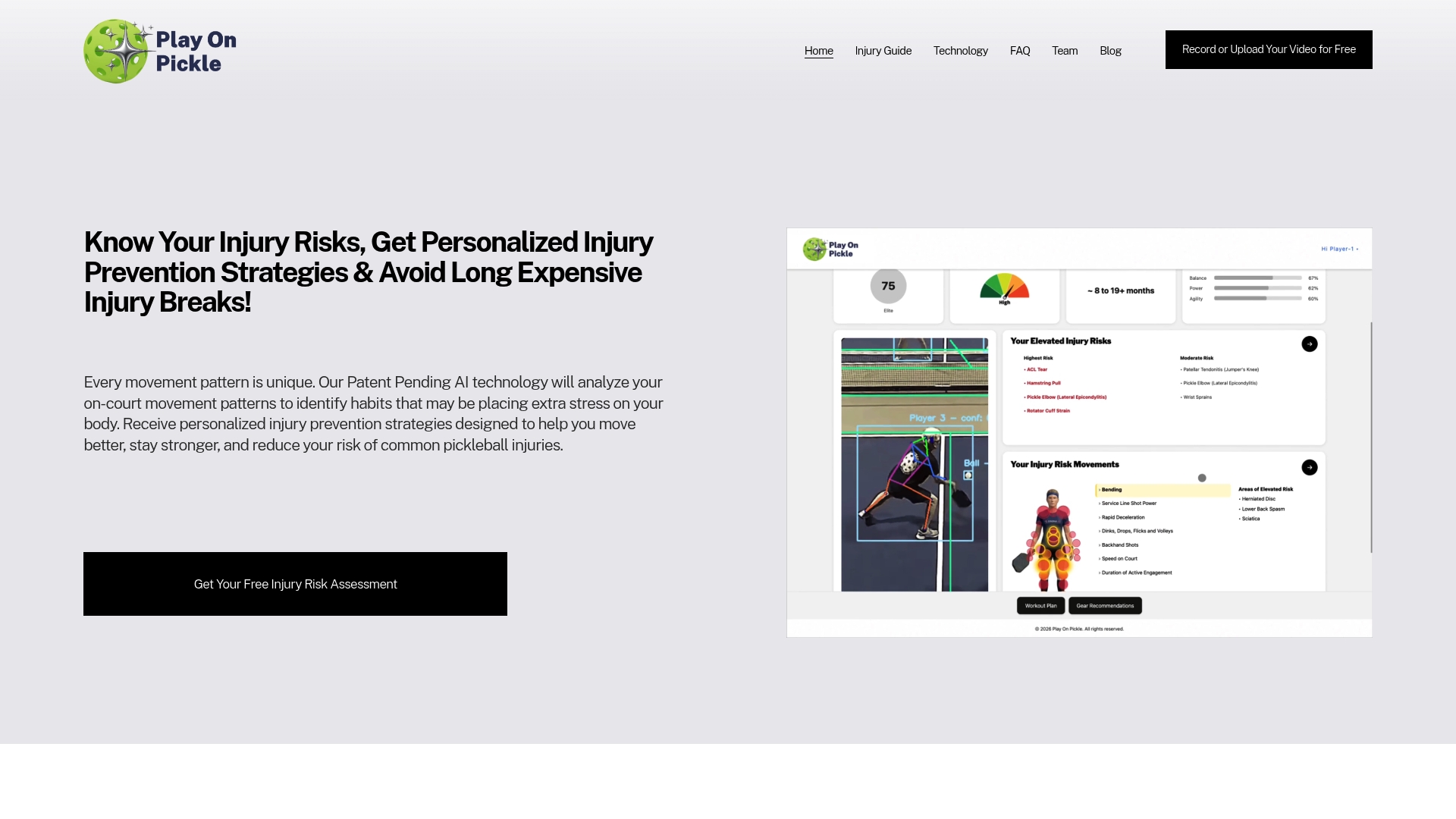
If you would rather not eyeball your own footage, Play On Pickle analyzes uploaded video, flags biomechanical stress points, and gives you an injury-risk assessment with tailored exercise and equipment recommendations. Plans are $9.99 per month or $99 per year, with a free trial to start, and you can see both on the pricing page. Monthly subscribers can also claim a free tripod or selfie stick, which solves the first problem in this guide.
If you coach, our overview of markerless movement analysis for coaches explains how the process works with a group. For a broader look, read the AI injury-prevention guide to pickleball video analysis.
FAQ
What frame rate is best for slow motion pickleball?
For most self-review, 60 fps is a good floor and 120 fps is better for contact detail. Use 240 fps for short clips of a single serve or volley, and expect large files. Higher rates need good light.
Is it better to record in slo-mo or slow the video down later?
Record in slo-mo. Footage captured at a higher frame rate plays back smoothly when slowed. Slowing 30 fps video afterward looks choppy, and interpolation cannot add detail the camera never recorded.
Where should I put the camera?
Use a stable tripod in landscape, and capture your whole stroke and recovery. A second view from the side or back helps. If you only have one phone, film from behind for footwork and from the side for paddle path.
Can slow motion tell me if I am at risk of injury?
Not by itself. It can show habits worth a closer look, such as a collapsing stance or late paddle, but judging joint loading takes measurement. If you have pain or instability, talk to a physician or physical therapist.
How often should I review my footage?
One focused session a week is enough. Pick a single element, make one correction, and re-film from the same angle to compare. More than that tends to produce over-analysis.
Sources
- Stunning Slow-Mo Video Shows Pro Pickleball at Its Best
- Pickleball Basics: Positioning, Patience, and Kitchen Line
- Using Video to Improve Your Pickleball Game
- 5 Best Slow-Motion Video Apps: How to Shoot Slo-Mo
- Intro to Slow Motion Video
- Pickleball Video Analysis: Watch, Learn, Improve
- How to record 1080p/240 fps or 4K 120 fps video on iPhone
- Instructions for Taking Videos
- How to Film Pickleball for Video Analysis Lessons
- Anna Bright Third Shot Drop: What Slow Motion Reveals
- The Dink in Pickleball with Slow Motion Pro Steve Dawson
- Pickleball Video Analysis: The FILM Method
- Automated Diagnosis of Upper-Limb Kinetic Chain
- Essential Pickleball Safety Tips for Pickleball Players
- Foot and Ankle Conditioning Program, OrthoInfo, AAOS
- Effect of a Multi-Faceted Training Program on Falls in Senior Pickleball Players